Home › Free tools › CIS calculator
CIS calculator
Work out the Construction Industry Scheme deduction on a bill, what the subcontractor is actually paid, and whether you’re due a refund at the end of the year. Nothing you type leaves your device.
Work out a CIS deduction
Estimate your CIS refund
Most subcontractors have more taken off through CIS than they owe, because the deduction ignores your personal allowance and expenses. Enter your figures for the 2026/27 tax year.
How CIS deductions work
- Contractors take 20% off a registered subcontractor’s labour, 30% if they aren’t registered, and nothing if they have gross payment status.
- The deduction is only on labour. Materials, VAT and equipment hire for the job are left out.
- The contractor pays the deductions to HMRC and gives you a payment and deduction statement each month.
- At the end of the tax year you send a Self Assessment return. The deductions count towards your tax and Class 4 National Insurance, and any overpayment is refunded.
Example: a registered subcontractor bills £1,000 labour and £400 materials. The contractor takes 20% of £1,000, so £200, and pays £1,200.
Read more in our CIS guide. Sources: What is the Construction Industry Scheme and What you must do as a CIS subcontractor on GOV.UK.
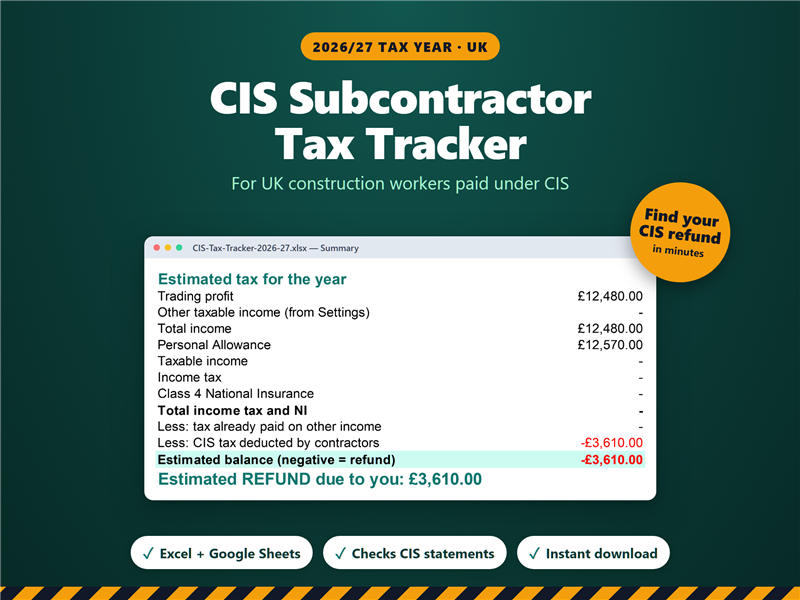
Log every payment and deduction statement, see your CIS deducted so far, and have your totals ready for your tax return.
CIS tracker on Etsy